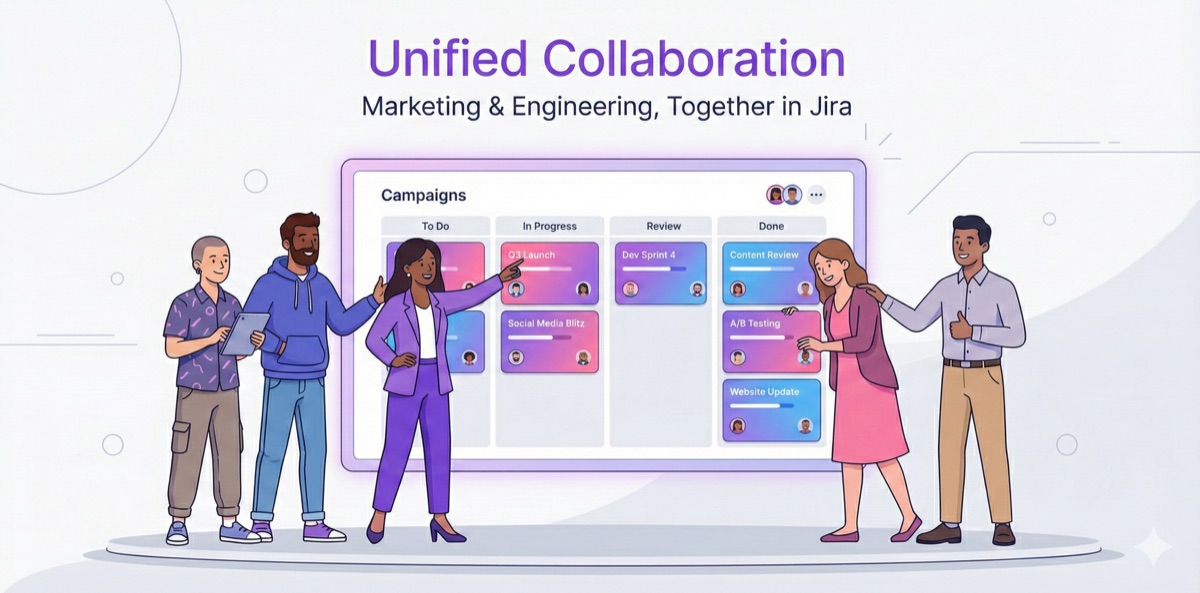
Marketing Workflows, Native to Jira
In our previous posts, we talked about the hidden costs of tool fragmentation and the collaboration breakdowns that happen when marketing and engineering work in different systems.
Now let's talk about a different approach.
Not "Jira for Marketers"
We should be clear upfront: we're not suggesting that marketing teams should just "learn to use Jira."
We've tried that. Multiple times. At one company, we ran three separate Jira training sessions for a 20-person marketing team. We created custom workflows, wrote documentation, held office hours. Six months later, adoption had dropped to 20%. Most marketers had quietly gone back to spreadsheets and Asana.
Here's why it doesn't work:
The rhythms are different. Engineering works in two-week cycles. A Q4 brand campaign might span three months with milestones that don't align to any sprint boundary.
The language is foreign. "Story points," "velocity," "backlog grooming"—these terms mean nothing to someone planning a product launch or managing influencer relationships.
The defaults are wrong. Jira's out-of-the-box workflows assume software development: To Do → In Progress → Done. Marketing needs: Draft → Internal Review → Legal Approval → Client Approval → Live. Good luck configuring that without a Jira admin.
So we stopped asking "how do we get marketers to use Jira?" and started asking a different question: What if Jira could understand how marketers actually work?
A Layer That Speaks Marketing
BloomSig isn't "Jira with a new skin." It's a layer built on top of Jira that understands marketing work—while keeping everything connected to the platform your company already uses and pays for.
Think of it this way: your company has invested in Jira. Licenses, integrations, training, years of process. That investment isn't going away. BloomSig lets marketing finally benefit from that investment, without forcing them to think like engineers.
Campaign Templates That Actually Match How You Work
Every campaign manager knows the pain of setting up a new campaign: create the main ticket, add 15 subtasks, set dependencies, assign owners, remember which custom fields to fill in. Two hours of setup before any real work begins.
With BloomSig, you pick a template—Product Launch, Promotional Campaign, Influencer Partnership—fill in a short form, and get a complete project structure in seconds. Not just marketing tasks, but automatically linked engineering requests with proper context and deadlines.
Creative Review Without the Email Chaos
You know the drill: "Banner_v3_final_FINAL_v2.pdf" attached to an email thread with 47 replies. Someone's feedback is in Slack. Someone else marked up a screenshot in Preview. The designer is piecing together comments from five different places.
BloomSig brings creative review into Jira. Click on the image to leave a comment. Compare versions side-by-side. And when you need approval from a client or agency partner who doesn't have a Jira account? Generate a secure link. They can view, annotate, and approve without ever logging into your system.
A Calendar That Shows Conflicts Before They Happen
Most marketing teams track campaigns in spreadsheets. Rows of dates, color-coded by status. It looks organized—until you realize two campaigns need the same designer on the same week, and nobody noticed until it was too late.
BloomSig's Content Calendar shows your marketing timeline with resource allocation built in. See who's working on what, when. Spot conflicts at planning time, not execution time.
Why "Native to Jira" Matters
This isn't about Jira being the best tool. It's about Jira being the tool your company has already committed to.
For the CMO: You finally get visibility into marketing work from the same dashboard where leadership tracks everything else. No more "let me pull up Asana" when the CEO asks about campaign status. Marketing becomes visible as a strategic function, not a black box.
For Marketing Ops: No more maintaining integrations that break. No more "which system is the source of truth?" debates. When something is done in Jira, it's done everywhere that matters.
For Campaign Managers: When you create a campaign, engineering sees the request in their normal workflow—with context, deadlines, and dependencies already set. You're not submitting requests into a void and hoping someone notices.
For Finance: Marketing spend becomes trackable alongside the work that drives it. When the CFO asks "what did we get for that $200K in Q3?", you can actually show them—campaigns, deliverables, outcomes, all in one system.
What This Looks Like in Practice
Remember Sarah from our horror story? Let's rewind and see how her campaign launch could have gone with BloomSig:
Week 1: Sarah opens BloomSig and selects "Product Launch" template. She fills in the campaign details: product name, launch date, key messages, budget tier.
Three minutes later, she has a complete campaign structure. But here's what's different: the template automatically creates a landing page ticket in Engineering's Jira project, and it notifies the relevant people—Mike (engineering lead), the designer assigned to marketing projects, and Sarah's marketing director. Everyone knows this campaign exists from day one. No one is surprised three weeks later.
Week 2: Monday morning, Mike's team does their planning meeting. Sarah's landing page ticket is right there in Jira—not as a random request, but with full context:
- Linked to: "Q1 Product Launch Campaign" (they can click through to see the full campaign)
- Launch date: March 15 (hard deadline—the press embargo lifts that day)
- Blocked tasks: Email sequence, paid ads, social posts (if this slips, five other things slip)
- Stakeholder: VP of Marketing is watching this campaign
Mike's team doesn't see "marketing wants a landing page." They see "this is tied to a company product launch with a fixed date and executive visibility." That context changes prioritization. The ticket gets pulled into the sprint.
Week 3: Sarah checks her campaign dashboard. She can see the landing page is "In Development." When Mike's team finishes and marks it complete, Sarah sees the status change immediately—no Slack message required. The dependent tasks (email sequence, ad setup) automatically move to "Ready to Start."
Launch day: The landing page is live. The campaign launches on time. Sarah's boss asks how it went. She pulls up the campaign in Jira and shows the complete timeline: every task, every handoff, every milestone hit.
No emergency meetings. No weekend overtime. No "which system has the latest status?" confusion. Just a campaign that launched when it was supposed to.
The Bottom Line
Your company has already made the Jira decision. Engineering isn't leaving. The integrations are built. The workflows are established.
The question isn't "should we use Jira?" It's "how do we make Jira work for everyone?"
BloomSig is our answer: marketing workflows that feel native to marketers, running on the platform your company has already invested in. One system. One source of truth. One less tool to pay for, maintain, and debug.
BloomSig is coming soon to the Atlassian Marketplace. In the next posts, we'll dive deeper into each feature:
- One Form, Complete Campaign Structure → — How Campaign Launcher turns 2 hours of setup into 3 minutes
- Creative Approvals Without the Email Chaos → — How Creative Review eliminates "Final_v2_FINAL.pdf"
- Why Your Content Calendar Lies to You → — How to see conflicts before they derail your launches
Want early access? Join the waitlist →
This is Part 3 of our series on marketing operations in Jira. Start from the beginning →
This article is part of